Smart Watch vs Fitness Tracker: Which Is Better for Everyday Wellness?
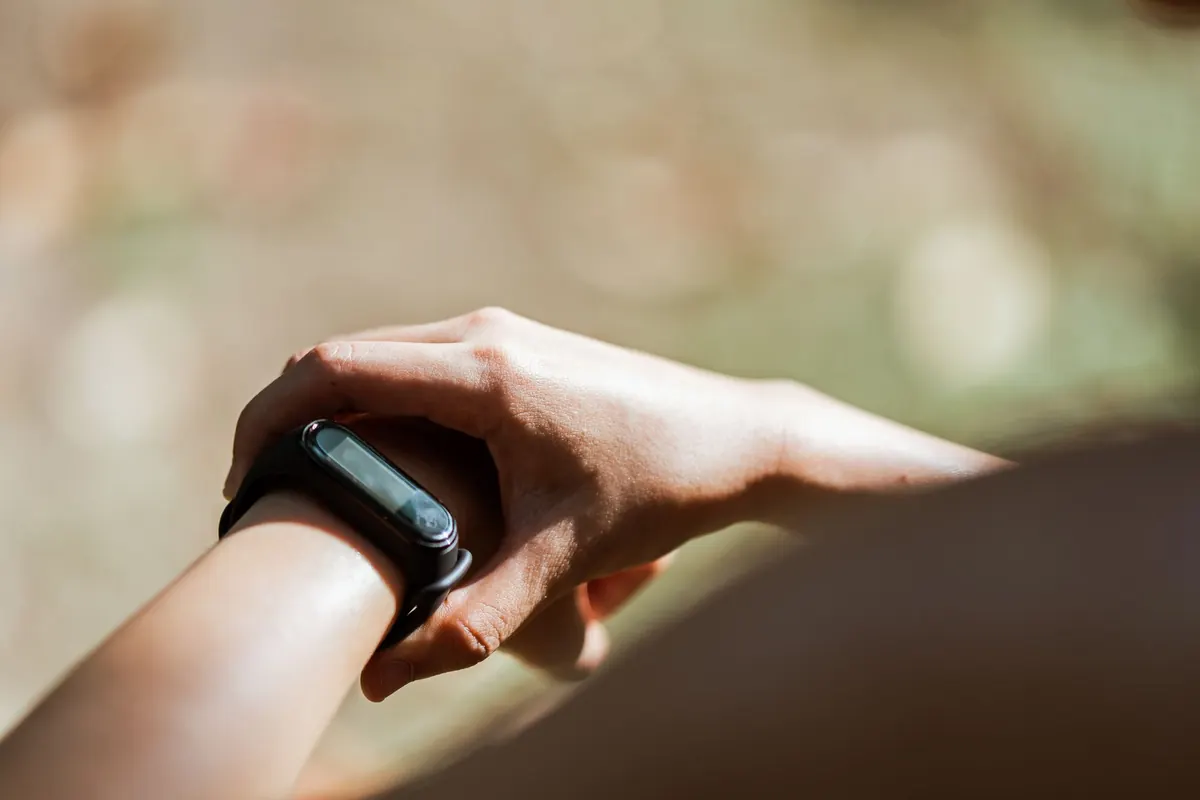
Walk into any electronics shop and you will find two kinds of wearable sitting a metre apart, both promising better sleep, more steps and a calmer mind. The fitness tracker is small and light, and it disappears under a shirt cuff. The smartwatch has a bright screen and a notification for every email you receive.
If what you want is simple daily health tracking rather than a second phone on your wrist, the decision comes down to a handful of practical questions: how often you are willing to charge it, whether you can sleep in it, and which numbers you will still be looking at in week three.
The line between them has blurred, but the design priorities are still different.
A tracker is built around sensors. You get a small or monochrome display, a couple of buttons, and a band that weighs almost nothing. It counts steps, logs workouts, reads your heart rate through the night and pushes everything to a phone app. There is no app store, no music storage, no way to reply to a message. That narrowness is the point: fewer distractions, less to charge, less to think about.
A smartwatch is a small computer with sensors attached. Notifications, contactless payments, music controls, built-in GPS, on-screen maps, timers, weather, sometimes a cellular connection so you can leave the phone at home. The health sensors are often comparable to a mid-range tracker. The screen is the real difference: bigger, brighter and much hungrier for power.
Most fitness trackers run for several days, and some stretch a week or more between charges. Most full smartwatches need a charge every day, or every second day if you keep the display dim and skip the always-on setting. Add an hour of outdoor GPS and you can watch the percentage drop in real time.
That gap changes behaviour more than people expect. A five-day battery means you can wear the thing overnight without a plan. A daily battery means you need a ritual: charge it while you shower, or for twenty minutes at your desk before dinner. Neither is a problem if the ritual fits your day. It is a problem if you are the sort of person who forgets, because a dead device records nothing, and the sleep data you wanted is exactly the data lost when you take the watch off to charge at eleven at night.
Quoted battery life assumes default settings. Brightness, always-on displays, GPS and music drain a watch faster than the box suggests, so read the fine print and expect less.
Sleep tracking only works if the device stays on your wrist until morning. Weight and band material matter more than spec sheets admit. A light tracker with a soft silicone or woven band is easy to forget about; a heavier watch with a metal case can feel like a handcuff when you roll onto your side.
Before you commit, check a few things in person:
Wear it slightly above the wrist bone, snug enough that it does not slide, but not so tight that it leaves a mark. That single adjustment improves heart-rate accuracy more than any setting.
Every notification you allow onto your wrist is a small interruption, and a smartwatch can make you more distracted than a phone in your pocket because the check takes two seconds and happens forty times a day. The fix is settings rather than hardware: calls from favourites only, messages from two or three people, everything else silenced. Most watches let you set this per app in about five minutes, and it is the best five minutes you will spend with the device.
There is a sleep angle too. A screen that lights up at two in the morning is a poor bedside companion. Use theatre or sleep mode so the display stays dark and the wrist stops buzzing once you are in bed.
Both device types can drown you in data. These are the metrics that tend to earn their place:
Two or three of these will matter to you. The rest is dashboard decoration, and paying extra for it rarely changes anything.
You want steps, sleep and workouts without a charging routine, you dislike being interrupted, you wear a watch you already love and do not want to replace it, or you would rather spend the difference on something else. A slim tracker on the non-dominant wrist is also the least noticeable option in an office or at a dinner table.
You want to leave your phone behind on a run, pay for a coffee with your wrist, set timers while cooking, or glance at messages without picking up a screen. Be honest about the charging: if a daily top-up will annoy you, this category will annoy you.
Hybrid watches pair analogue hands with a small display and basic tracking, and sports watches offer long battery life with GPS and almost no apps. Both exist precisely because most people want the sensors without the smartphone on their wrist.
The better buy is the one still on your wrist next month, not the one with the longest feature list. If you are tracking because of a specific concern, such as an irregular heartbeat, chest pain or suspected sleep apnoea, speak to a doctor: consumer wearables are lifestyle tools and not diagnostic devices, and they should support professional advice rather than replace it.
Photo: Ketut Subiyanto / Pexels
Previous Post
10-Point Digital Declutter Checklist for a Faster Phone
Next Post
Beginner's Guide to Automating Your Weekly Meal Prep